
“ERNIE Image turns my simple text prompts into studio-quality visuals with perfectly rendered text—no Photoshop needed.”
Open-Source · Apache 2.0
ERNIE Image: Open-Weight Model
for Text-Accurate Image Generation
ERNIE Image is Baidu’s open-weight text-to-image model built on an 8B Diffusion Transformer. Engineered for precise text rendering, structured layouts, and complex multi-object prompts.
- Architecture
- 8.0B Parameters
- Prompt Accuracy
- 0.8856 GENEval
- Text Fidelity
- 0.9733 LTBench
- 24GB VRAM Required
- Consumer Ready
Deep Dive
What Is ERNIE Image?
ERNIE Image is an open-source text-to-image AI model developed by Baidu, built on an 8B-parameter Diffusion Transformer (DiT). It is designed to generate images with accurate in-image text, structured layouts, and complex multi-object compositions.
Compared to most open-weight models, ERNIE Imageperforms better on text-heavy and layout-sensitive tasks - a finding confirmed across 200+ standardized benchmark tests. It includes a built-in Prompt Enhancer that expands short inputs into richer, structured prompts, improving output quality without manual prompt engineering.
The model runs on a single consumer GPU with 24GB VRAM, making it suitable for local deployment. Released under Apache 2.0, it can be freely used, modified, and deployed commercially without API limits.
Not sure where to start? Our step-by-step guide to using ERNIE Image walks you through your first generation in under 5 minutes.
- Apache 2.0 License
- 8B DiT Backbone
Local Deployment
Consumer GPU Ready
Core Capabilities
What ERNIE Image Does Better Than Most Models
Six real capabilities that matter in production — not just model specs.
Generate Clean, Readable Text Inside Images
Produces sharp, readable text in posters, infographics, and UI-style images. Most diffusion models struggle with structured text, but ERNIE Image maintains clarity even in dense layouts. LongTextBench: 0.9733.
Create Structured Layouts Like Posters and Comics
Builds consistent layouts across multi-panel designs, storyboards, and posters. Unlike typical models that focus only on visuals, ERNIE Image keeps layout logic intact. GENEval: 0.8856.
Handle Complex Prompts Without Losing Detail
Accurately follows prompts with multiple objects, spatial relationships, and detailed instructions. Instead of collapsing complexity, it preserves structure across the entire scene.
Support Both Realistic and Stylized Image Generation
Generates both photorealistic images and stylized visuals without switching modes. You can move from product shots to creative artwork in the same workflow.
Run Locally on a Single Consumer GPU
Runs on a single 24GB GPU like RTX 3090 or 4090. No API, no cloud cost, and full control over your data and generation pipeline.
Improve Results Automatically with Prompt Enhancer
Expands short prompts into structured descriptions before generation. This reduces prompt engineering effort and improves output consistency. Learn how to write prompts that get the best results →
Gallery
ERNIE Image Output Examples — Text, Layout, and Complex Prompts
Real outputs that show where ERNIE Image performs best — especially in tasks most models struggle with.
Model V2.0 / 8.0B DiT
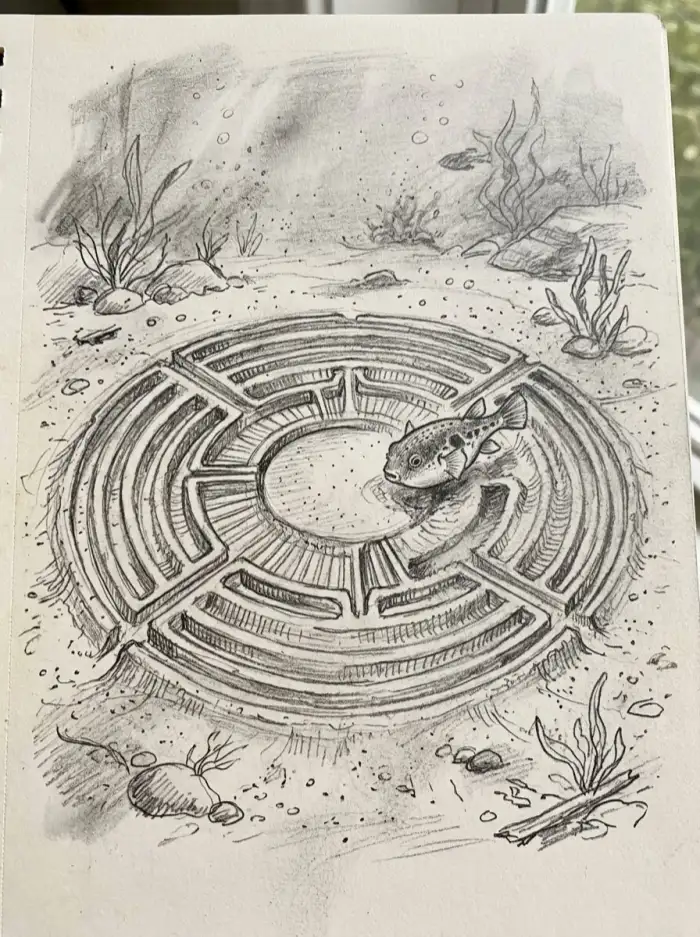 Creative Illustration
Underwater Maze
A detailed pencil sketch of a pufferfish swimming inside a circular maze on the ocean floor, surrounded by seaweed, rocks, and bubbles.
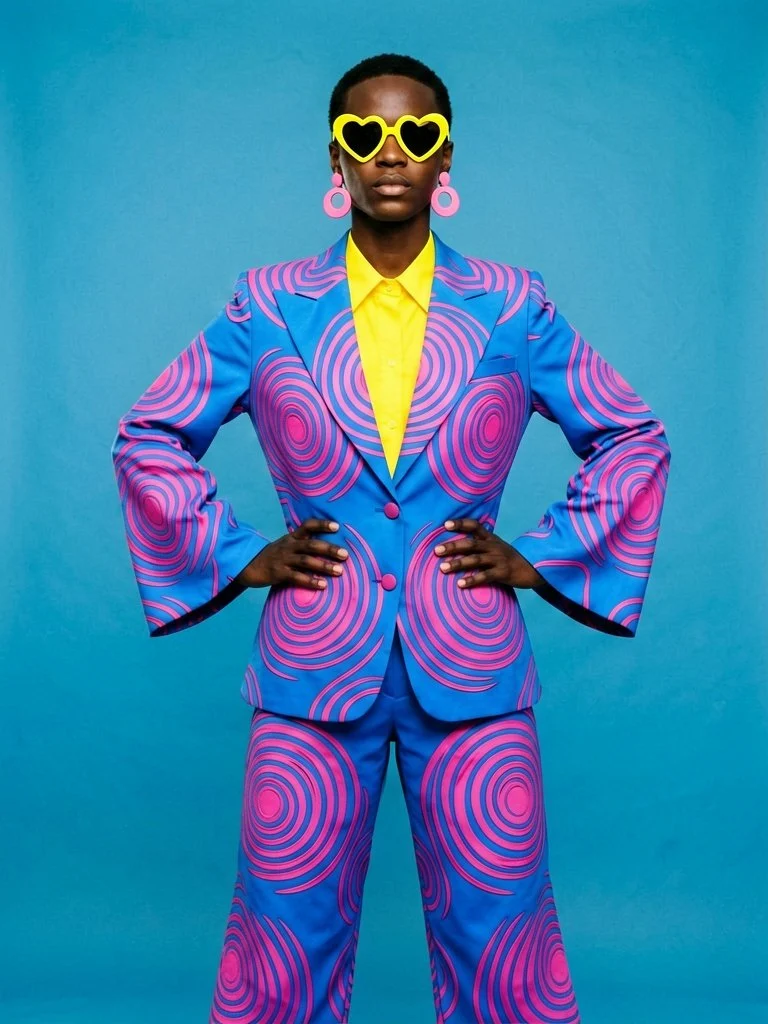 Stylized Portrait
Fashion Statement
Confident model wearing a bold blue and pink spiral-patterned suit with yellow shirt, heart-shaped yellow sunglasses, and pink earrings against a solid blue background.
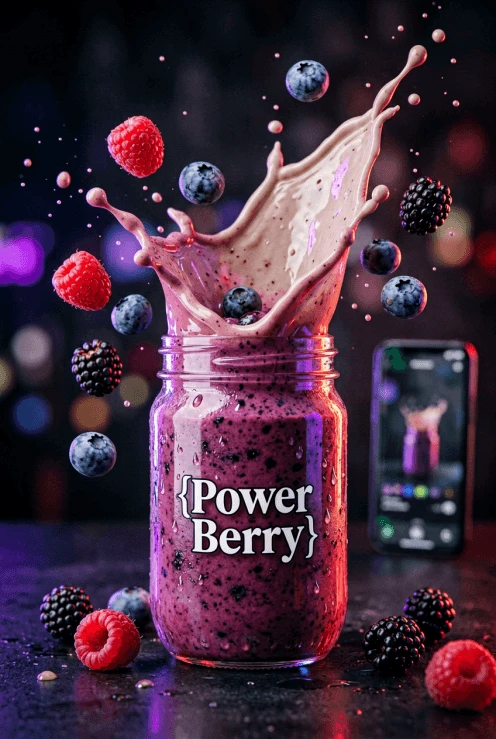 Product Visualization
Power Berry Smoothie
Vibrant berry smoothie in a glass jar with dramatic splash of purple liquid, flying raspberries, blueberries and blackberries, cinematic lighting with a smartphone in the background.
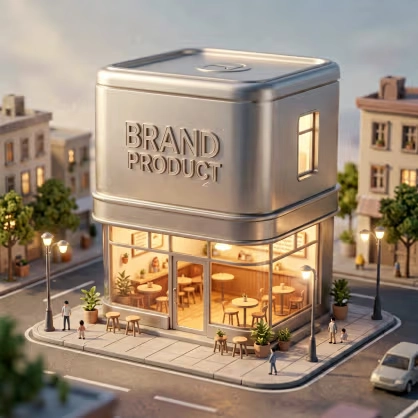 Architectural Concept
Brand Product Store
A modern minimalist storefront shaped like a giant product can labeled 'BRAND PRODUCT', warm interior lighting, people walking outside on a city street at dusk.
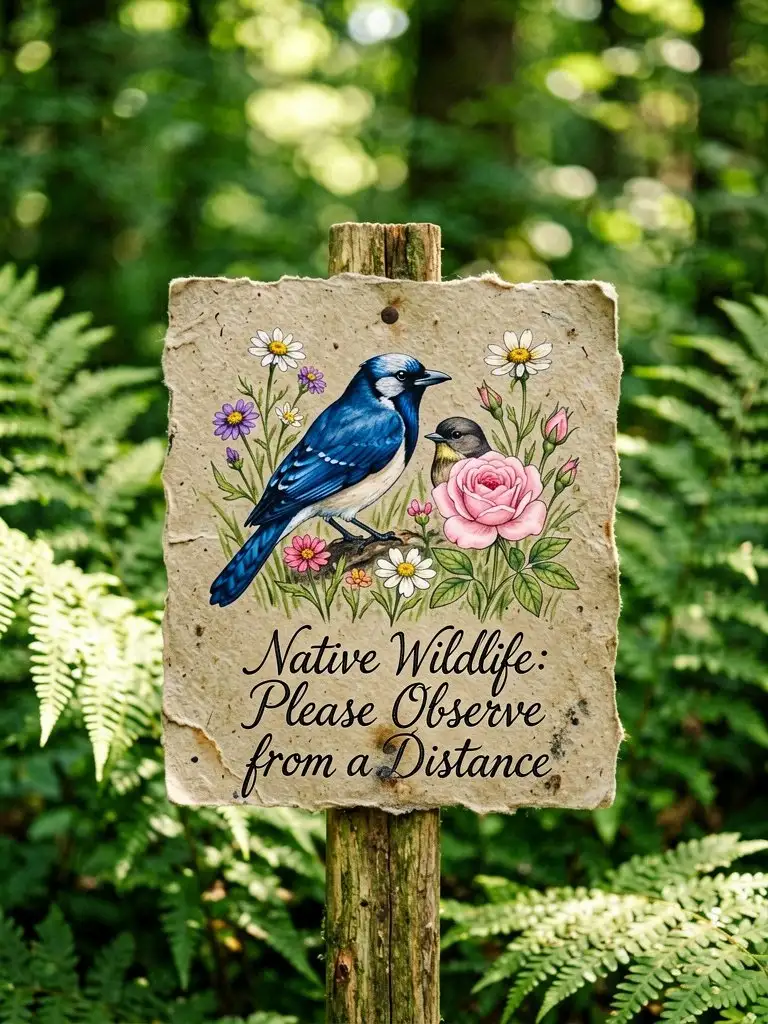 Nature Illustration
Wildlife Observation Sign
Hand-painted watercolor sign on rustic paper in a forest, featuring a blue jay and flowers with text 'Native Wildlife: Please Observe from a Distance'.
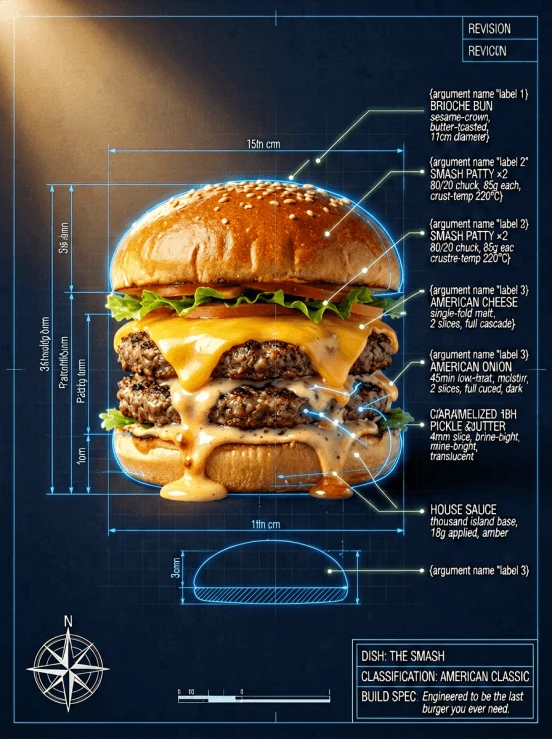 Technical Blueprint
The Smash Burger
Highly detailed technical blueprint of a gourmet smash burger with precise measurements, ingredient labels, and engineering specifications on a dark background.
Every image above was generated from a single text prompt. Try the ERNIE Image AI generator and create your own — it's free to start.
Local Setup
How to Download and Run ERNIE Image Locally
Download official weights and run ERNIE Image locally using Hugging Face and ComfyUI.
Official Checkpoints
Secure your access to the 8B DiT weights and official workflow templates for local inference.
Hugging Face Repo- Hugging FaceSTEP 01
Step 1 — Download ERNIE Image Model from Hugging Face
Get the official ERNIE Image checkpoint from Hugging Face. Includes both SFT and Turbo variants, plus the Prompt Enhancer safetensors.
- Setup GuideSTEP 02
Step 2 — Load Model Weights into ComfyUI
Place the downloaded safetensors into your ComfyUI models directory. Load the checkpoint and connect it to your generation pipeline.
- Get WorkflowSTEP 03
Step 3 — Use the Official ComfyUI Workflow Template
Import the official workflow template from GitHub to quickly set up your pipeline with Prompt Enhancer nodes.
- Run ModelSTEP 04
Step 4 — Generate Your First Image
Enter a prompt and generate locally. For best results, let the Prompt Enhancer expand your inputs automatically.
Variants
ERNIE Image SFT vs Turbo — Which Version Should You Use?
Understand the key differences in quality, speed, and use cases — and choose the right version for your workflow.
- 50-Step Generation
ERNIE Image SFT — Full Quality
The SFT model is the standard release — 50 denoising steps, full instruction fidelity, and the strongest benchmark scores. Use it for final renders where text accuracy and quality are non-negotiable.
GENEval 0.8856, LTBench 0.9733
- Fast Iteration
ERNIE Image Turbo — 8-Step Drafts
ERNIE-Image-Turbo is a distilled variant trained with DMD. It cuts generation down to 8 steps — fast enough to preview 20+ compositions before committing to a final render.
Optimized for speed and exploration
| Capability | SFT (Main) | Turbo |
|---|---|---|
| Steps | 50 | 8 |
| Speed | Slower | ~6× faster |
| Best for | Final renders | Drafts, iteration |
| GENEval | 0.8856 | Lower |
| LongTextBench | 0.9733 | Lower |
| Available on | HuggingFace | HuggingFace |
Still deciding which version fits your workflow? Read our full ERNIE Image review with benchmark comparisons, or test both modes in the generator for yourself.
Trusted by Creators
ERNIE Image Powers Visual Teams Worldwide
4.9 / 5 Average Rating
“We batch-generate product hero images in minutes. The 2048 px output is sharp enough for print, and the Turbo mode keeps costs low.”
“The Prompt Enhancer is like having a co-pilot for complex scenes. Structured layouts land exactly where I need them.”
“Switching between Turbo and Standard lets me prototype fast, then polish key assets—credits never feel wasted.”
“In-image text rendering is finally accurate. Headlines, labels, and CTA copy come out crisp every time.”
“I've tried half a dozen AI image tools—ERNIE Image's Diffusion Transformer backbone delivers the best coherence on multi-object prompts.”
Want the numbers behind the praise? Our ERNIE Image review covers 200+ test runs with FID scores, speed benchmarks, and a full competitor comparison.
Simple Pricing
ERNIE Image AI Pricing — Simple Plans, No Surprises
Credits power ERNIE Image text-to-image: choose Turbo or Standard, set custom width and height (300–2048 px), and use optional Prompt Enhancer. Commercial usage is included—no surprise fees beyond credits.
Starter
$9.9
396 credits · $0.025/credit
Try ERNIE Image text-to-image with flexible sizes and Turbo or Standard speed.
- ERNIE Image text-to-image
- Custom width & height (300–2048 px)
- Turbo (1 credit) or Standard (4 credits) per image
- Optional Prompt Enhancer (PE)
- Commercial usage rights
- No watermarks
- Standard processing
Pro
$29.9
1,300 credits · $0.023/credit
More credits for regular creators—same ERNIE Image features with better per-credit value.
- Better per-credit value than Starter
- Text-to-image, PE, and custom sizes (300–2048 px)
- Turbo / Standard modes (1 / 4 credits per image)
- Up to 4 images per generation
- Commercial usage rights
- No watermarks
- Priority processing
Most Popular
Scale
$49.9
2,626 credits · $0.019/credit
High-volume image generation for teams that rely on ERNIE Image daily.
- Strong per-credit savings vs. Starter
- Full text-to-image workflow (sizes, PE, Turbo/Standard)
- Up to 4 images per generation
- Commercial usage rights
- No watermarks
- Faster processing
Prices include all taxes. One-time packs—credits never expire.
One-time purchaseCredits never expireCommercial useDirect support
FAQ
ERNIE Image — Frequently Asked Questions
Quick answers to the most common questions about ERNIE Image.
Is ERNIE Image free?
Yes. ERNIE Image is free under the Apache 2.0 license.
You can download, use, modify, and deploy the model commercially without paying for API access or usage. There are no usage limits when running it locally.
The online generator offers a free trial. View full ERNIE Image pricing plans for credit packs and commercial use details.
How does ERNIE Image compare to FLUX.1 or Midjourney?
ERNIE Image performs better at text rendering and structured layouts.
It outperforms most open-weight models in text-heavy tasks, while Midjourney focuses more on stylized visuals. ERNIE Image is better for posters, UI layouts, and readable text generation.
Can I use ERNIE Image outputs commercially?
Yes. ERNIE Image supports commercial use under Apache 2.0.
You can use outputs for ads, products, and resale without additional licensing. Both the model and generated images are commercially usable.
What GPU do I need to run ERNIE Image locally?
ERNIE Image requires a 24GB GPU for the full model.
RTX 3090, RTX 4090, and A10G are commonly used. The Turbo version runs faster and may require less memory depending on your setup.
Does ERNIE Image work with ComfyUI?
Yes. ERNIE Image works with ComfyUI out of the box.
You can load the safetensors checkpoint and use the official workflow template. It integrates with standard ComfyUI pipelines.
What languages can I use for prompts?
ERNIE Image supports English, Chinese, and Japanese prompts.
It can render bilingual text within a single image while maintaining readability. Performance is consistent across languages in benchmark tests.
How do I use ERNIE Image?
Download model weights from Hugging Face, clone the official GitHub repository for setup and inference scripts, then run locally—or use the online demo in your browser when available.
For a detailed walkthrough, see our complete guide on how to use ERNIE Image, or jump straight to the free ERNIE Image AI generator.
Connect
Official ERNIE Image Resources
Everything in one place — model weights, code, documentation, and the online demo.